User Guide
GUI App
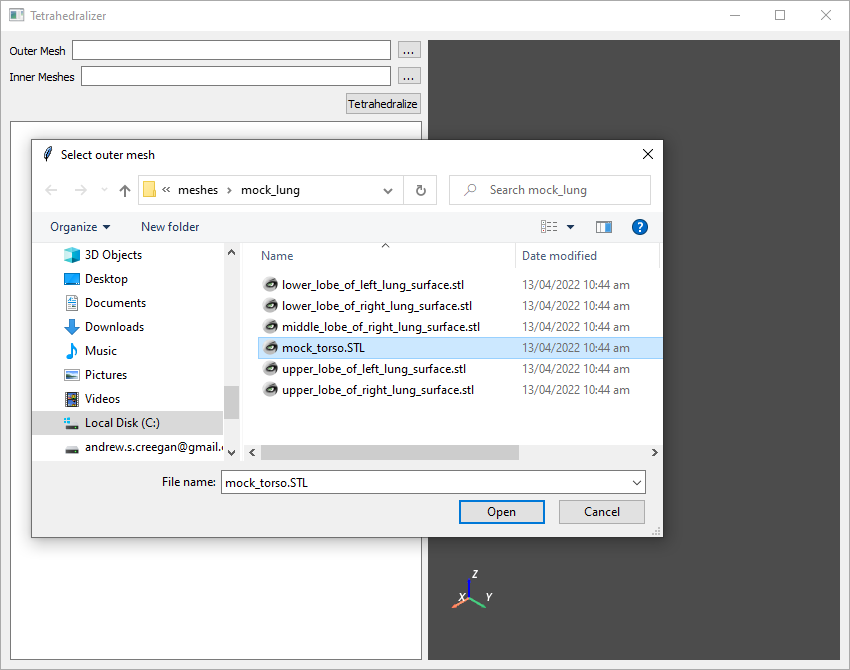
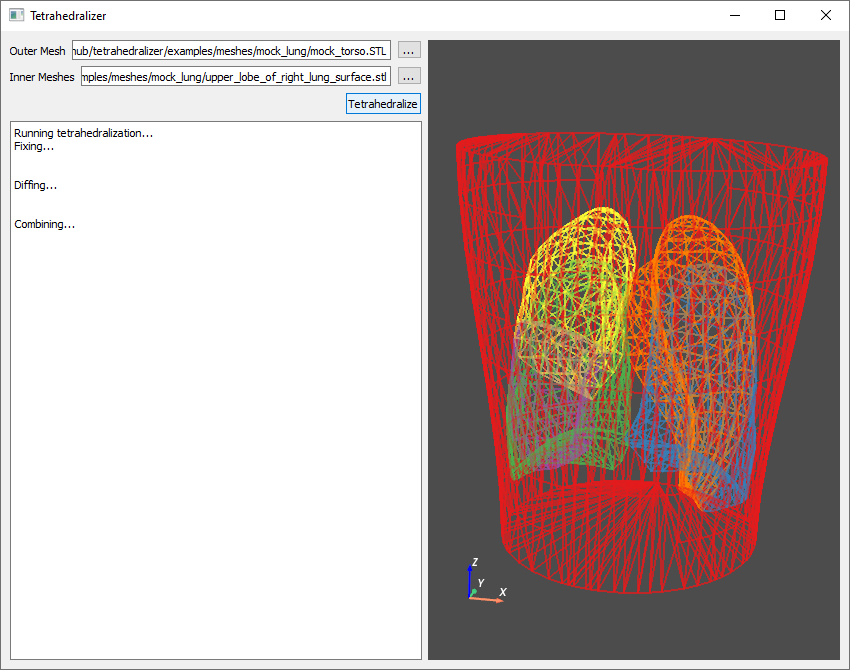
To use the Tetrahedralizer app, simply select one outer mesh, representing the outermost boundary of the desired output mesh, then select any number of inner meshes, representing the boundaries of inner sections of the output mesh:
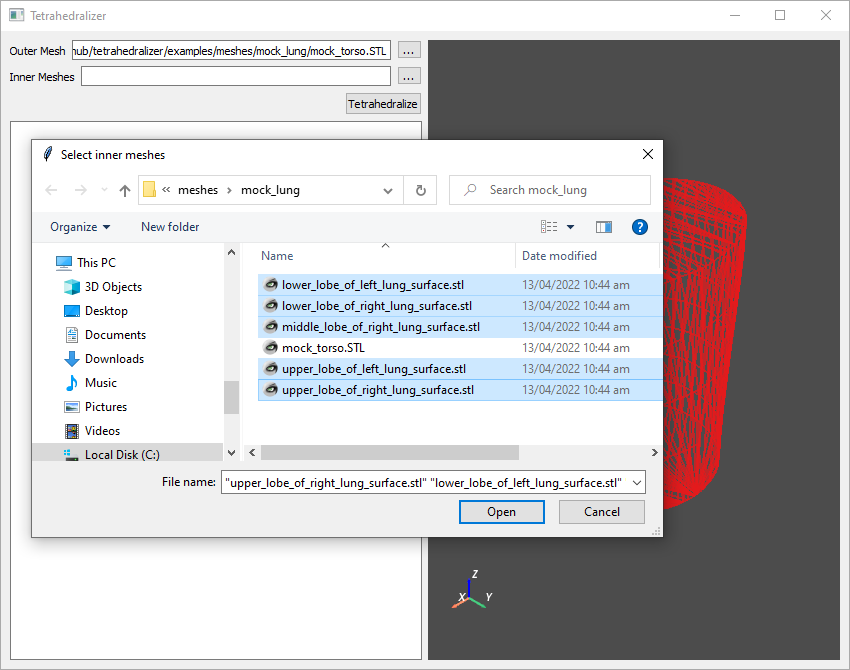
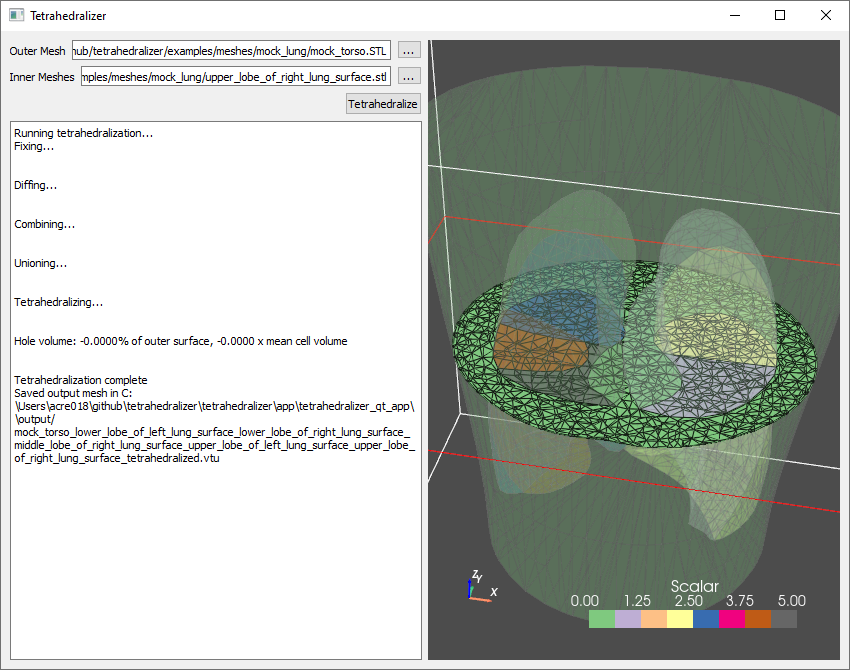
Click Tetrahedralize, and the automated process will begin, with progress displayed in the text box on the left had side of the screen. When finished, the resulting tetrahedralized mesh will be saved as a .vtu file in the output directory of the Tetrahedralizer installation:
Configuration
The tetrahedralization process in the tetrahedralizer app is configurable using the conf.json file in the app install directory. The default configuration file is shown below:
{
  "output_suffix": "tetrahedralized",
  "output_directory": "output",
  "output_extension": ".vtu",
  "mesh_repair_kwargs": {},
  "gmsh_options": {
    "Mesh.MeshSizeMax": 10
  }
}
mesh_repair_kwargs refers to kwargs given to the Pymeshfix Meshfix.repair function.
gmsh_options is a dictionary of values passed to gmsh.option.set_number.
API Features
Automated tetrahedralization of multi-surface meshes
The GUI app implements the API function preprocess_and_tetrahedralize, which is a pipeline to automatically create a tetrahedralization from multiple input surface meshes: one outer mesh, representing the outermost boundary of the desired output mesh, and any number of inner meshes, representing the boundaries of inner sections of the output mesh. The process is as follows:
- Run meshfix on each input mesh
This is done to ensure manifoldness of the surfaces. It is reapeated after each step
- Boolean operations
The input meshes are used twice in the proces. Once to generate holes in the tetrahedralization of the outer mesh, and once when they are tetrahedralized individually. For the first operation, a boolean union is created from the inputs to represent the combined outer surface of the inner meshes. For the second, a boolean difference to create a set of non-intersecting inner sections.
- Remove shared faces
Meshes which have faces which exactly overlap (i.e. zero volume intersection) require this special operation when creating the combined outer surface of the inner meshes with which to generate the holes in the outer mesh.
- Tetrahedralizing
The gmsh tetrahedralization operation is used on the outer mesh with holes and each inner mesh individually
- Combining
The inner tetrahedralized meshes are combined with the outer to generate the final result.
Mesh fixing with PyMeshfix
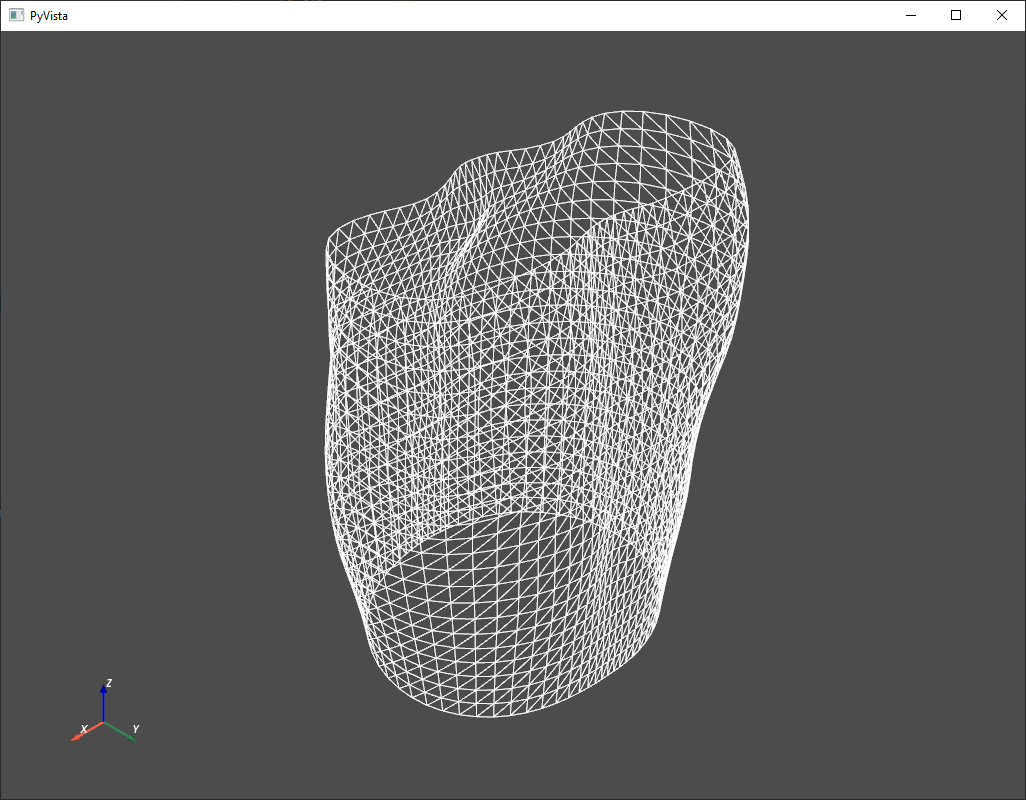
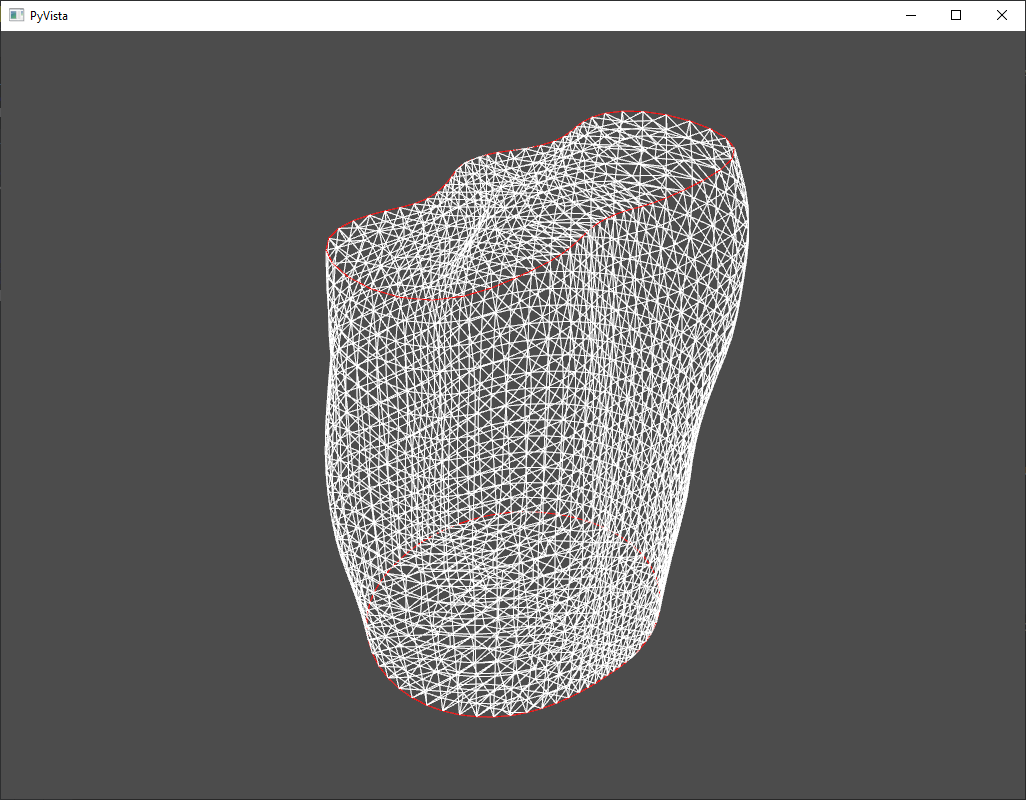
The fix_mesh function provides a simple interface to the pymeshfix Meshfix.repair function. It operates on a Pyvista dataset and accepts kwargs for Meshfix.repair. The images below show a mesh before and after fixing, with patched holes outlined in red.
Removal of shared mesh faces
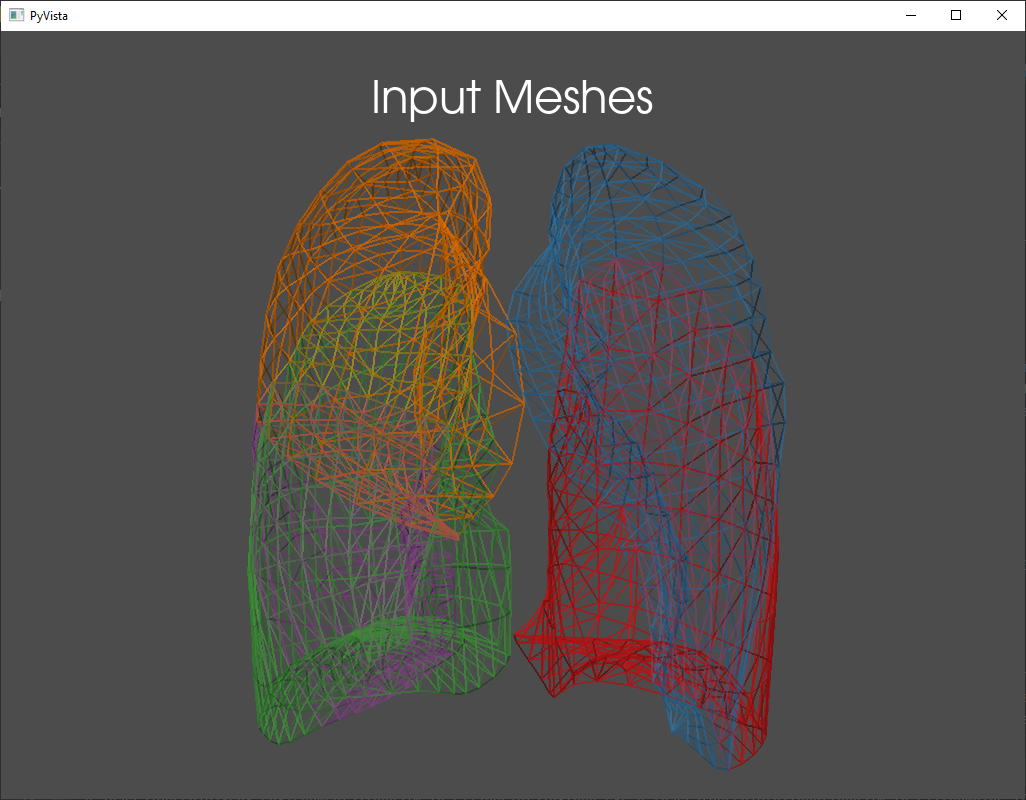
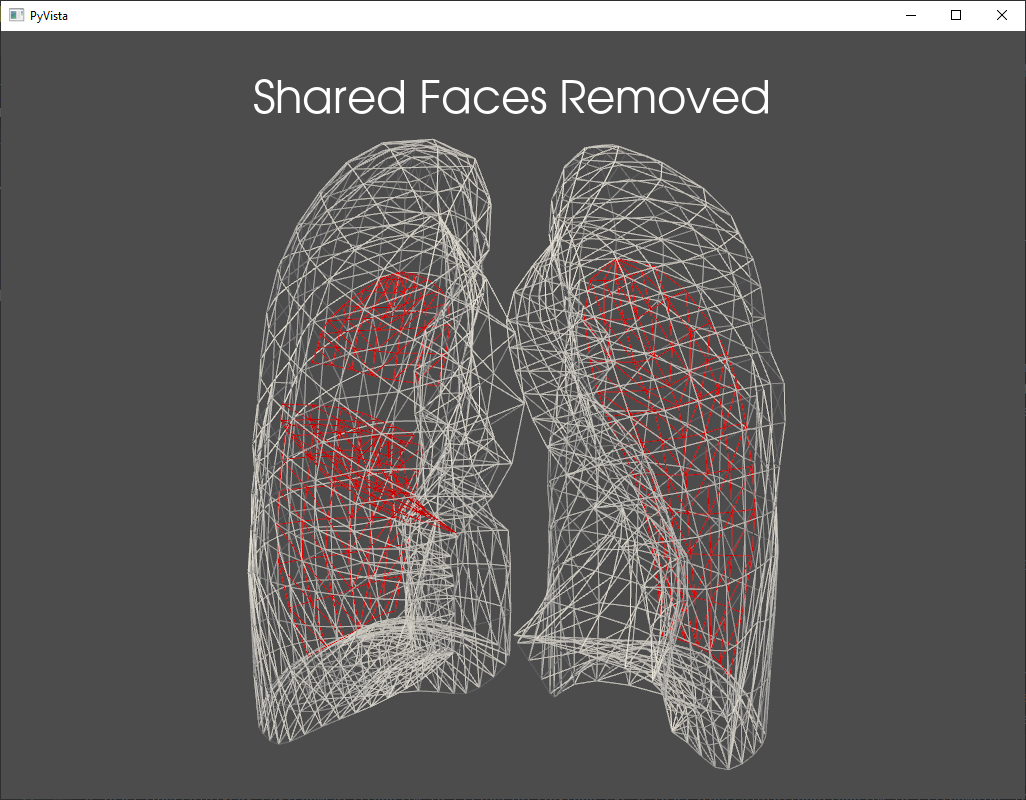
remove_shared_faces can be used to merge two meshes that share walls but have no intersection. This is necessary when using such meshes to define a hole in an outer mesh for the purposes of tetrahedralization in gmsh. The images below show an example of five meshes representing the five lobes of the lungs, which each share a wall. Removed faces are shown in red in the image to the right.
Boolean operations with PyMeshlab
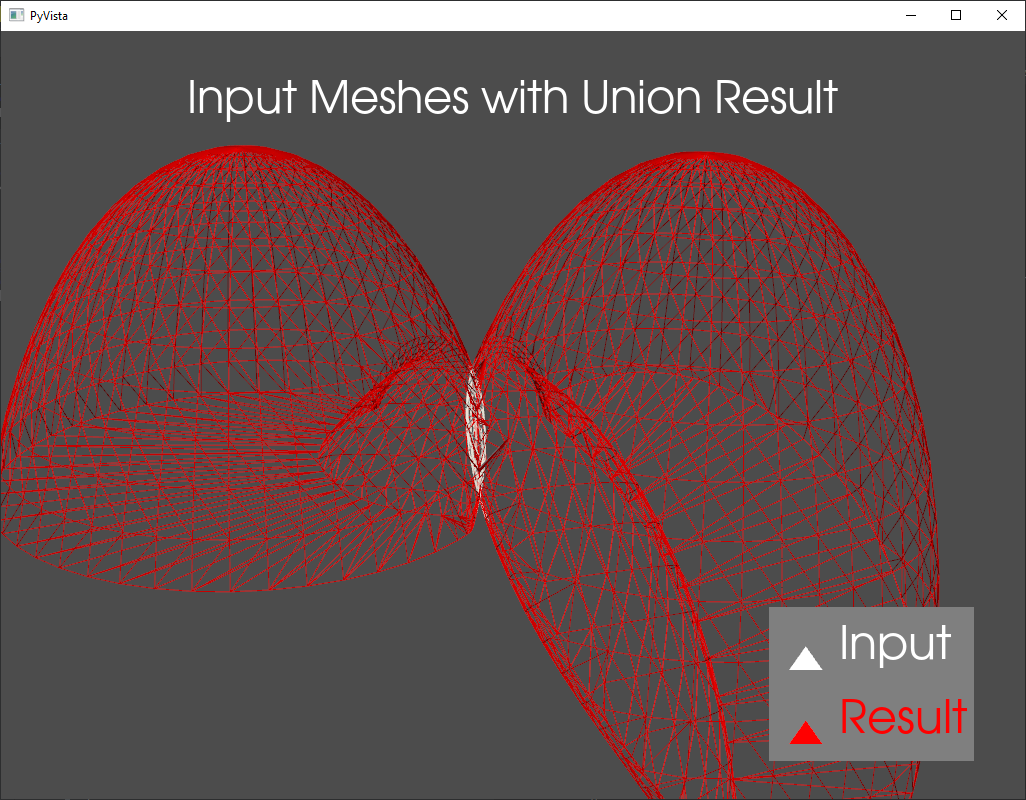
The pymeshlab_boolean function provides an interface to the boolean mesh operations in pymeshlab. Differenc, Intersection, Union, and Xor are available. This operates on a platform independent mesh representation in the form of arrays. The image below shows the boolean union between two slightly intersecting meshes.
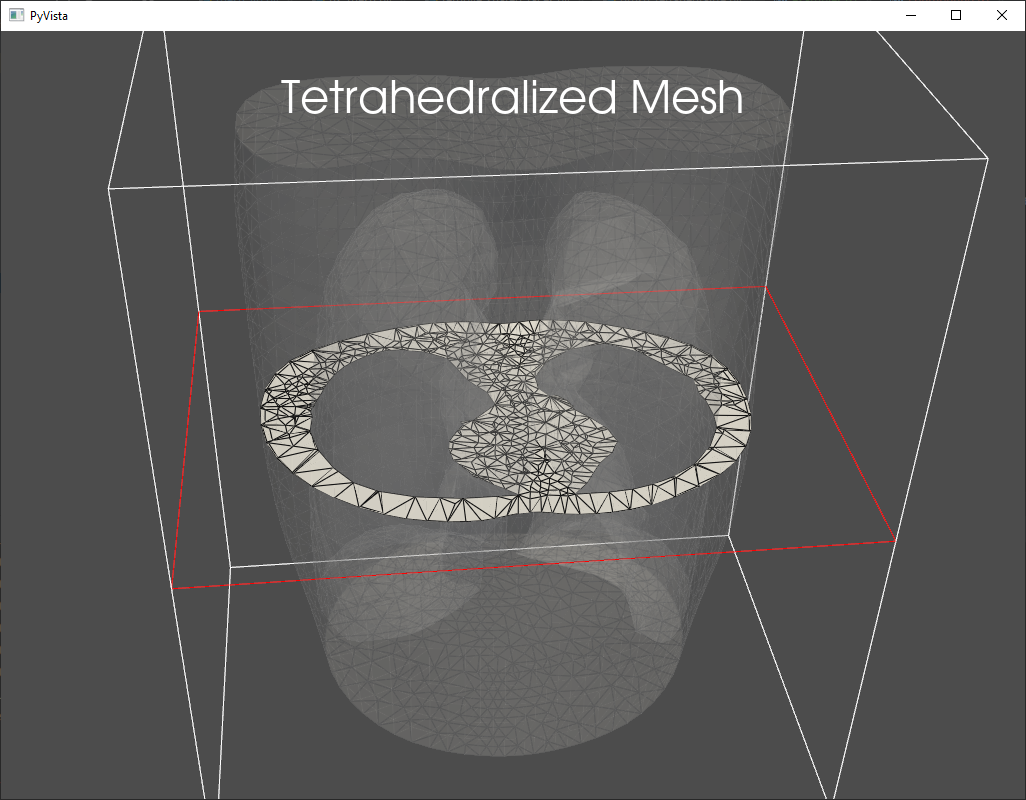
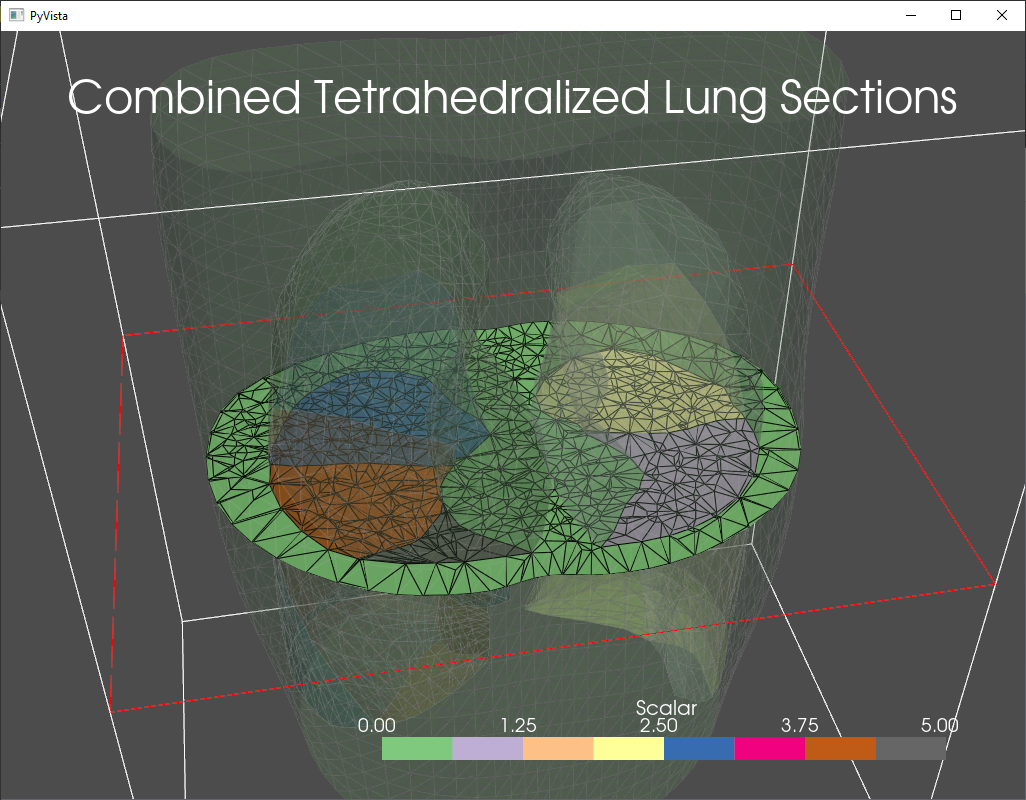
Tetrahedralization with gmsh
The gmsh_tetrahedralize function provides an interfaces to the gmsh package for mesh tetrahedralization. Options for tetrahedralization can be passed through the gmsh_options dict. The images below show a torso tetrahedralized with holes where lungs can be inserted (left) and a combined tetrahedral mesh where the torso had been combined with individual tetrahedralizations of the lung lobes.